Overview
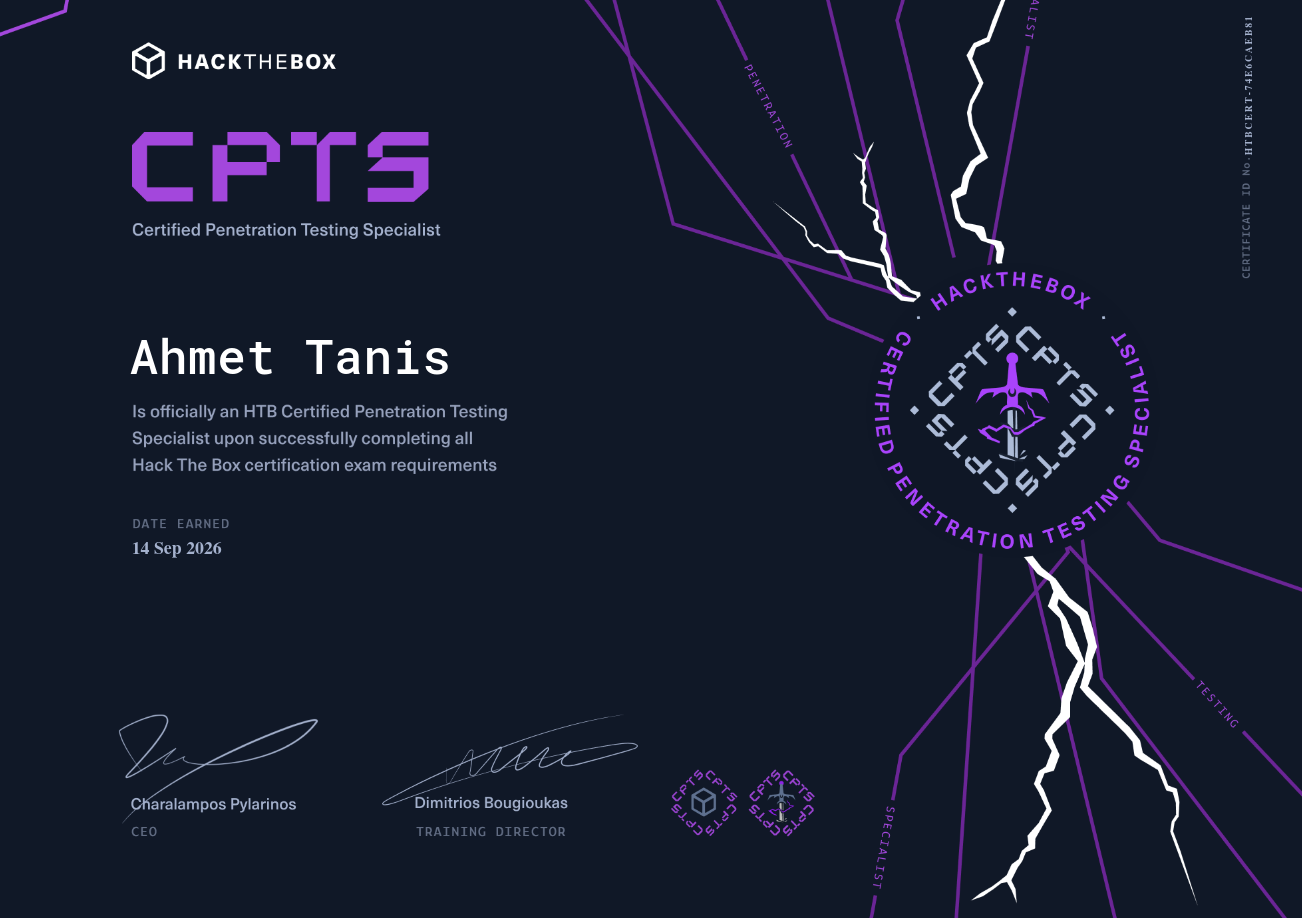
I passed CPTS on 14 September 2026.
The short version: 31 weeks of studying, first attempt, 14/14 flags captured, report submitted, and a pass.
My Background
Before starting CPTS, I was in my first year as an IT student with relatively little formal IT knowledge. I had already been active on TryHackMe, which gave me my first real exposure to offensive security.
Beyond that, I was self-taught, learning through Hack The Box’s free-tier machines, CTFs, and a lot of reading and experimentation. I had no prior certification—CPTS was my first real penetration testing certification.
My CPTS Preparation
My preparation took approximately 31 weeks, although I had around six weeks of vacation during that period when my schedule was different. On a normal day, I studied around two to three hours, although this varied.
I followed the HTB Academy material in order rather than jumping randomly between topics. That was important because the material gradually builds your understanding. Some areas were significantly harder for me than others.
The two areas that stood out were Password Attacks and Active Directory Enumeration & Attacks. The reason they were difficult was simple: I hadn’t done this type of Windows and Active Directory attack work before. I was learning completely new concepts. But those were also some of the areas where I learned the most.
The Areas I Found Most Important
If I had to highlight the areas that mattered most during my preparation, I’d focus on Password Attacks, Active Directory, Web Applications, and Privilege Escalation.
Password Attacks
I learned how credentials can be discovered, validated, reused, and abused. More importantly, I learned how I could discover and extract credentials, validate them, and reuse them in different places.
Active Directory Enumeration & Attacks
This was one of the hardest areas for me, but also one of the most valuable. Understanding the relationships between users, groups, computers, permissions, and sessions completely changed how I approached internal networks.
Web Applications
I learned to focus on understanding how an application works rather than blindly throwing payloads at it. Understanding its functionality, inputs, authentication, and behaviour is often more valuable than simply knowing a collection of payloads.
Privilege Escalation
After gaining a foothold, I learned to systematically enumerate the system for permissions, credentials, processes, configurations, and other potential paths to additional access.
Repeat the Hard Material
One thing I would strongly recommend is repeating difficult material. If you finish a module and immediately forget most of it, moving on just because the module is marked complete doesn’t necessarily help.
One module I particularly recommend practising repeatedly is Attacking Enterprise Networks (AEN).
For preparation, I would take it a step further and do it without relying on the questions or explanations. Start the environment and approach it as if you’ve been given a real engagement. You don’t know what the intended attack path is, which machine matters, or which credential is important. You need to figure that out yourself.
That forces you to bring everything together instead of practising individual techniques in isolation, and for me it was some of the best preparation for the exam.
Failure Was Part of the Training
Failure became one of the most valuable parts of my preparation. Whenever I got stuck, I initially wondered: “If I can’t solve this, how am I going to pass the exam?”
Eventually, I started treating failure as feedback. If I missed something during enumeration, misunderstood a technology, or overlooked an attack path, I had found something to improve. When stuck, I usually gave myself around an hour to work through the problem before looking for a small hint. I tried to avoid reading complete walkthroughs unless I was completely out of ideas.
The goal isn’t to never need help. It’s to understand what you missed when you do.
Build Your Own Methodology
One of the most important things I did during preparation was build my own methodology. I didn’t want a rigid sequence of commands. I wanted a system that made it harder to forget important steps under pressure.
I used a note structure inspired by BrunoRochaMoura and adapted it to my own workflow. I personally used Obsidian, although the tool itself doesn’t really matter.
I also kept a command log and recorded useful commands and their output as I went. Build something that works for you. The best methodology is the one you can actually use under pressure.
Tools I Found Particularly Useful
I kept my toolkit fairly practical.
Nmap
Fundamental for enumeration and understanding the exposed environment.
NetExec & Impacket
Particularly useful in Windows and Active Directory environments.
BloodHound
Helped me understand relationships between users, groups, computers, permissions, and sessions.
Ligolo-ng
Made pivoting into internal networks much easier once I became comfortable with it.
Practical tools
Evil-WinRM, xfreerdp, WinPEAS, and LaZagne, depending on the situation.
Purpose first
Learn tools by purpose, not just by memorising commands.
The “Think Dumber” Lesson
One piece of advice I received from the community was:
Think dumber.
At first, that sounds strange. What it really means is don’t reject an attack path simply because it looks too obvious. Imagine you discover a web form that appears vulnerable to SQL injection. You might think:
“Nah, it can’t possibly be this simple.”
So you move on.
That can be a mistake. If something looks interesting, test it. Don’t decide beforehand what the intended attack path “should” be. Let the evidence tell you. This mindset became particularly important for me during the assessment. Sometimes the thing I initially dismissed was actually worth investigating.
When You’re Stuck, Enumerate Again
One of the biggest lessons I learned is that getting stuck often means you need more information, not a more complicated exploit. If I had exhausted my initial ideas, I would go back to enumeration and ask myself whether I had actually checked everything. This becomes especially important with lateral movement. You might compromise one machine and immediately focus on it. But what if another machine contains the information you need? What if a credential you discovered works somewhere else? What if you never properly enumerated that system?
You can create your own dead end by failing to collect information from the rest of the environment. When I was stuck during the exam, going back to the basics was often more useful than trying something more complicated.
The Exam
When the assessment started, I received the rules and scope of the engagement and approached the environment as a black-box penetration test. You can’t assume:
“There must be a clever exploit here.”
Instead, you need to approach the environment methodically. Enumerate, record information, form hypotheses, test them, document what works, document what doesn’t, and revisit your assumptions when something isn’t making sense. I had already built my methodology during preparation, so during the assessment I relied heavily on my checklists. That helped me keep track of what I had done and, just as importantly, what I hadn’t done.
My Exam Timeline
My experience took 10 days, and it was definitely not a situation where everything worked immediately.
I spent essentially the entire day enumerating and found nothing useful. Everything seemed to be a dead end. I was disappointed. After spending so much time preparing, having an entire day with no meaningful progress was stressful. But looking back, that day taught me something important: no progress does not necessarily mean you’re doing badly.
FLAGS 1–3
Half of the day went by with very little progress. At this point, I started feeling empty. I had already tried many of the ideas I had and started thinking: “Am I really going to spend another few days getting nowhere?” Eventually, I got my first significant breakthrough. That was an enormous relief. After that, I was able to make more progress.
FLAGS 4–5
I continued progressing through the environment, and more objectives started falling into place.
FLAGS 6–7
I spent a large amount of time on one objective. The breakthrough came from deep enumeration. I also made additional progress afterward. Once again, enumeration was the difference.
FLAGS 8–9
Another objective gave me a hard time. It was frustrating, but again, the answer came from continuing to investigate the environment rather than simply trying increasingly complicated techniques.
FLAGS 10–12
This was a major relief. I made significant progress and reached the point where I could properly start focusing on the report.
I spent these days working on the report. Because I had already been documenting my reproduction steps, evidence, and attack path during the assessment, I wasn’t starting from zero. A lot of the technical content was already there.
FLAGS 13–14
After finishing the main reporting work, I decided to go back and attempt additional optional objectives. I treated them as an extra challenge, and they were actually a lot of fun.
The day after I submitted the report, I received the confirmation by email that I had passed.

My Schedule
During the assessment, I was spending approximately 6–8 hours per day working. I generally started around 8 AM and worked until around 7 PM, with breaks throughout the day, and made sure to get enough sleep.
There is a temptation during a long assessment to think: “If I just work longer, I’ll solve it.” Sometimes the opposite happens. When you’re tired, your ability to notice simple things decreases. Take breaks. Eat properly. Sleep.
Come back with a fresh perspective. A rested brain is much more useful than another exhausted hour of staring at the same service.
Evidence Collection
One of the best decisions I made was collecting evidence while I was testing. I used Flameshot for screenshots and kept a command log containing successful command outputs. If I discovered something important, I documented it immediately.
For GUI-based exploitation, I captured screenshots. For command-line exploitation, I kept the relevant output.
This avoided one of the worst possible situations: finishing the entire penetration test and then realising you need to reproduce everything just to collect evidence. Don’t do that. Collect evidence as you go.
How I Wrote the Report
I used SysReptor to write the report. I used this template.
I found it very easy to work with, and because I had documented the technical work during the assessment, writing the report was much easier.
I didn’t wait until the end to figure out how I had exploited everything. I wrote the attack path and reproduction steps as I went. That meant when the technical testing was finished, much of the report was already written.
Using AI for the Report
I also used ChatGPT while writing the report, mainly for grammar, wording, and presentation.
The technical work was still mine. I performed the testing, discovered the vulnerabilities, and collected the evidence. AI simply helped me communicate the results more clearly.
My Advice for CPTS Preparation
Don’t try to speedrun the Academy path. Take the time to understand what you’re doing and make sure you can apply the techniques yourself. Get comfortable with being stuck. When something isn’t working, go back to your notes, check your enumeration, question your assumptions, and look for what you might have missed.
Most importantly, build your methodology before the exam, not during it.
Resources
- HTB CPTS Track: A machine track on HTB aligned specifically with the CPTS curriculum. I think it’s useful to add alongside the Academy material because every machine has a purpose, and you can use it to practise applying what you’ve learned.
- IppSec CPTS Preparation Playlist: An optional resource if you want additional preparation and want to see how an experienced pentester approaches machines.
- HTB ProLabs: If you want more multi-machine environments, ProLabs can be useful practice. I recommend looking at environments such as Dante or Zephyr if they fit your budget.
Curiosity & Obsession
When I started learning cybersecurity, I had almost no IT knowledge (literally!).
I didn’t understand Linux. I didn’t understand networking. I didn’t understand Active Directory. I certainly didn’t understand penetration testing. I just had curiosity.
That curiosity eventually led me from learning Python to discovering cybersecurity, learning Linux and networking, completing my first penetration-testing training, and eventually preparing for and passing CPTS.
The biggest thing I learned throughout that journey is that progress isn’t always obvious. Sometimes you’ll spend an entire day enumerating and find nothing. Sometimes you’ll fail a lab. Sometimes you’ll need a hint. Sometimes you’ll spend hours going in the wrong direction.
That’s normal.
The important part is what you do afterward. Every failure can teach you something. Every dead end can improve your methodology. Every mistake can become something you know not to repeat. A couple of years ago, I looked at certifications like CPTS and thought they were impossibly far away.
Now I’ve passed one.
Not because I started with exceptional knowledge. I started because I was curious, and I kept going.
Final Thoughts
I’m incredibly happy to have obtained this certification at just 16 years old, and there’s still much more to come.
CPTS taught me far more than individual tools and techniques. It taught me how to approach unfamiliar environments, build a methodology, enumerate effectively, and keep going when I had no idea what to try next. Coming from a first-year IT student with relatively little formal IT knowledge, I’m incredibly happy with what I achieved. This is just the beginning.